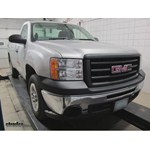
Hard-wire Installation of Hopkins Brake Controller in 2013 GMC Sierra
Updated 04/01/2014 | Published 03/30/2014
Products Featured in This Question
Question:
Im installing a hopkins brake control and i am not sure how to connect the wiring from the truck to the brake control. The brake control has a black, red, white and blue wire. The truck has dark blue, red\black, lt blue/wht, orn, white. Please help. Thank you.
asked by: Rendell
Expert Reply:
To hard-wire a Hopkins brake controller such as their # HM47295 in your 2013 GMC Sierra you will make connections between the 4 wires on the controller unit and vehicle wiring that is under the steering column.
I have linked a photo showing the location and appearance of this bundle of blunt-cut wires. These are the wires for the tow package for the brake controller. Carefully cut the white tape binding the wires and pull them down from underneath the steering column.
You will make connections between the vehicle and controller wiring as follows:
RED vehicle wire connects to BLACK controller wire
DARK BLUE vehicle wire connects to BLUE controller wire
LIGHT BLUE vehicle wire connects to RED controller wire
WHITE wires connect together
You do NOT connect the orange tow package wire to anything; you can simply tape it up out of the way.
Once the controller is wired you may still need to make additional connections in the engine compartment to provide power for the brake controller and for 12V power to your trailer. I have linked an article that covers this process and photos are included. You may also need to install fuses in the power distribution box if they are not already there. Look for any fuse receptacles labeled trailer or tow. The lid to the power distribution box should have a legend to identify the location and value of these required fuses.
If your Sierra has a 7-way connector at the rear bumper you are all set, but if not you can use Pollak part # PK11916. The linked video illustrates installation in a Sierra.