


Control your Victron MultiPlus or Quattro from a cleaner, easier location. This panel lets you view and adjust AC input current and turn your inverter/charger on or off.
When your inverter/charger is mounted behind panels or tucked into a storage compartment, changing AC input limits or powering the system down turns into a crawl-and-check routine. This remote panel puts on/off control and AC input current adjustment in one accessible location, letting you manage your MultiPlus or Quattro system from your main control area instead of reaching the inverter directly.
Different shore power pedestals and generators don't always leave much room for error, especially when your system is pulling larger loads. The Digital Multi Control panel supports AC input current adjustment up to 200 amps, giving you a direct way to dial your system into the available power source before breakers start tripping.
Some remote panels only work with basic single-unit systems, which becomes a problem once your setup expands. This panel supports stand-alone, parallel, and 2- or 3-phase Multi/Quattro configurations, so your control point stays consistent even as your power system grows beyond a single inverter/charger.
Running additional control wiring through your RV, boat, or equipment bay can add unnecessary installation time. The RJ45 connection ties directly into compatible VE.Bus systems, keeping installation straightforward and making it easier to route the panel into your existing control layout.
Checking inverter status shouldn't require opening compartments or connecting to separate monitoring equipment. LED indicators and the built-in digital display keep operating information visible from the panel itself, giving you a quick read on your system while managing shore power or generator input.
Videos are provided as a guide only. Refer to manufacturer installation instructions and specs for complete information.
Hi everybody, Andy here with etrailer. Let's take a quick look at this Victron Digital Multi Control panel. Now, if you're considering this remote control panel for your Victron MultiPlus or Quattro system its main advantage is convenience and centralized control. So instead of accessing the inverter charger itself, you're gonna be able to manage key functions from a single easy to reach panel that's mounted inside of your RV, boat, vehicle, or home. So the panel is going to let you remotely turn your MultiPlus or Quattro on or off and adjust the AC input current limit, which is especially useful when you're connected to shore power or a generator. With support for input current adjustments up to 200 amps, you're gonna be able to fine tune how much power your system draws to help prevent tripped breakers and better match for available power source.
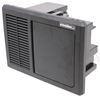
Installation's gonna be pretty straightforward thanks to the VE.Bus RJ45 connection, which you see right here, which is gonna plug directly into compatible systems without requiring additional control wiring. Once connected, this panel's gonna give you instant visibility into your system's operation through this digital display and LED status indicators, allowing you to quickly check system status without opening an electrical compartment or equipment bay. This is also designed to grow with your power system, whether you're running a single MultiPlus or Quattro unit, simple units in parallel or more advanced two phase or three phase configuration. This panel can control and monitor the setup from one location. While I'm thinking about it here, let me put a ruler up to this and just give you some measurements.
The overall width, we're sitting right at four and 3/4 inches. height about two and 1/2 inches. Well, I think that's gonna wrap up our quick look today. One final thing I did wanna mention, if you think you might need help with installation, we do have you covered in that regard. On this product page, typically underneath the photo section, we have a link that will take you to our installer locator.
Click that link, answer the questions that it has for you, and that locator will find an installer in your area that etrailer has partnered with to do the install for you. Again, my name's Andy. Thank you for joining me.
Ratings & Reviews

Info for this part was:
At etrailer we provide the best information available about the products we sell. We take the quality of our information seriously so that you can get the right part the first time. Let us know if anything is missing or if you have any questions.










Thank you! Your comment has been submitted successfully. You should be able to view your question/comment here within a few days.
Error submitting comment. Please try again momentarily.