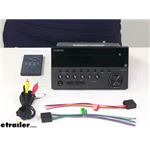
Pin Number Needed To Connect A Phone Via Bluetooth To A Furrion DV3300SBL RV Stereo System
Published 06/10/2023
Question:
I have a Furrion DV3300SBL for my RV. When I try to pair my phone to the unit, it asks for a pin. Where do I get the pin so I can finish pairing the two devices. Thank you.
asked by: John L
Expert Reply:
The pin your Furrion RV Stereo # DV3300SBL is needing to pair your phone is "0000". This is listed in the owner's manual under the Bluetooth pairing section. If you've lost your owner's manual then I've also copied the instructions below:
1. Activate Bluetooth mode on your mobile device. Then press the Bluetooth button on the front panel of DV3300S to enter pairing mode.
2. When DV3300S is detected by your mobile phone, the device name FURRION DV3300S-BL-XXXX (where X can be any character from A-Z or number from 0-9) is shown on your mobile phone.
3. Select the device name on your mobile phone, then an input box will pop up, asking you to input a password.
4. Input 0000 and confirm. Upon successful pairing and connection, 'LINK OK' will appear on the LCD of DV3300S.